Spatial Audio

Your constantly-updated definition of Spatial Audio and collection of videos and articles.
Be a conversation starter: Share this page and inspire others!

296 Shares

What is Spatial Audio?

Spatial audio, also known as 3D audio, refers to sound design and technology that mimics the natural way humans perceive sound in a three-dimensional space. It creates the illusion of sounds coming from different directions and distances, which provides a more immersive and realistic auditory experience. Spatial audio is often used in virtual reality (VR), gaming, and cinema to enhance the sense of presence and immersion in a digital environment.

Spatial Audio in Virtual Reality

Spatial audio in VR and other mediums differs from traditional stereo sound as it replicates how we hear sounds in the real world. Traditional audio offers a left-right dynamic.

In this video, UX Design Consultant Frank Spillers discusses the importance of spatial audio in VR.

Transcript

How Does Spatial Audio Work

Spatial audio in VR adds to the immersion of an experience by simulating how people hear sounds in real life. Here's a breakdown of how it functions:

  1. 3D Sound Simulation: Spatial audio replicates how sound behaves in a three-dimensional space. This means sounds in VR can seem to come from above, below, behind, in front of, or beside the listener. It's different from traditional stereo audio, which can only convey left and right directions.

  2. Head-Related Transfer Function (HRTF): One of the key technologies behind spatial audio is the HRTF. It's a set of algorithms that mimic how our ears receive sounds from different directions and distances. HRTFs account for the fact that sounds are altered by the shape of our ears, head, and torso before reaching our eardrums. This alteration helps our brain understand the sound's location.

  3. Binaural Recording Techniques: To create spatial audio content, binaural recording is often used. This involves placing two microphones in the ears of a dummy head or a human to record sound exactly as it would be heard by a person. When played back through headphones, this creates a highly realistic and spatially accurate sound experience.

    This video explores what binaural sound is and how it’s recorded.


    4. Directional Audio Cues: In VR, as the user moves their head or navigates through the virtual environment, the spatial audio adjusts in real-time. If a sound source is to the right of the user and they turn their head towards it, the sound will naturally seem to come from straight ahead, just as it would in real life.

  4. Distance and Environment Effects: Spatial audio also simulates how sound changes with distance and in different environments. Sounds can become softer, more muffled, or change in quality as they get further away or as the environment changes (like echoing in a large hall or being absorbed in a densely furnished room).
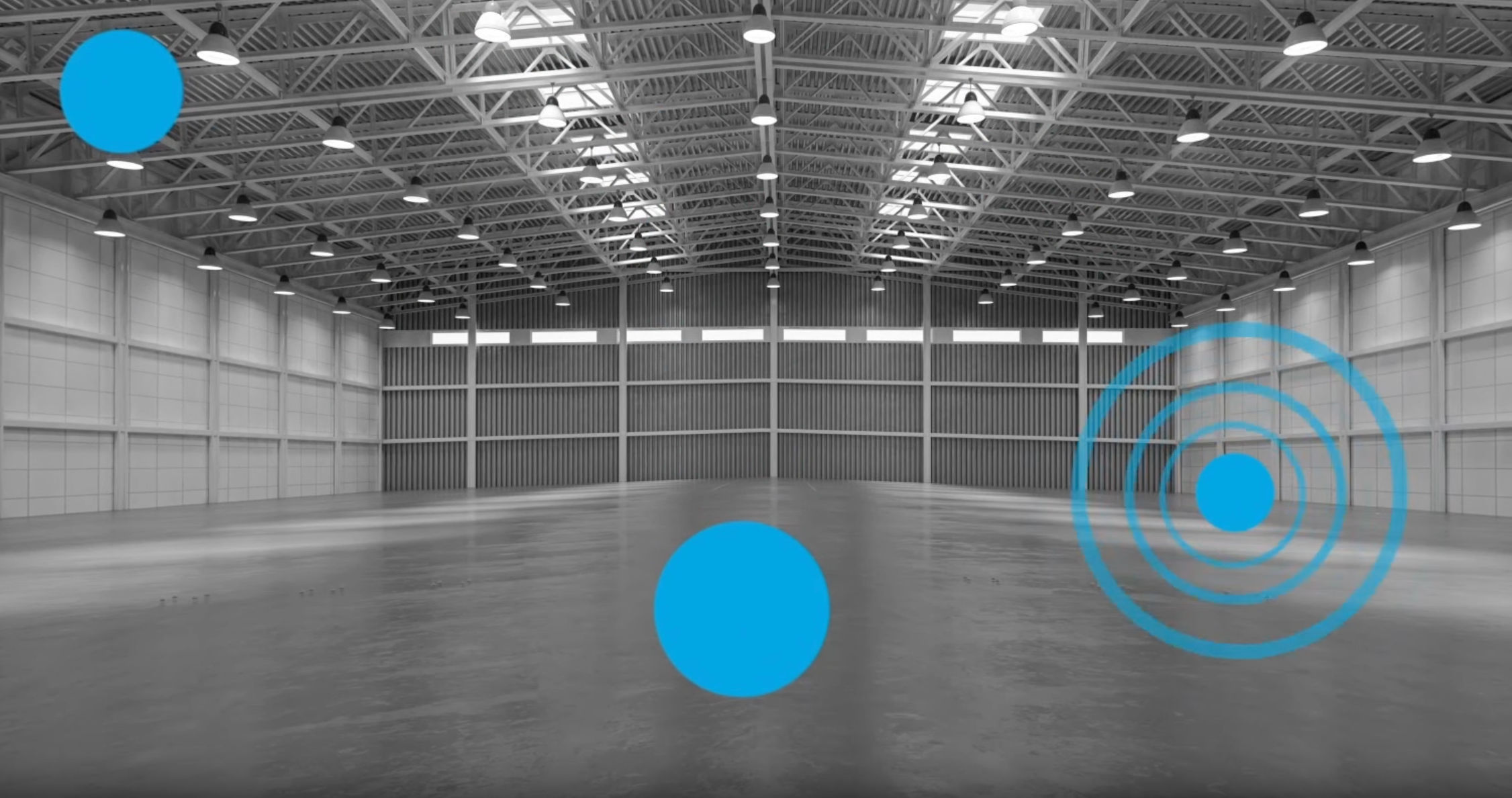
    Spatial audio is designed to imitate how sound evolves and adapts when moving through different spaces and over varying distances.

    © Interaction Design Foundation, CC BY-SA 4.0

  5. Integration with VR Systems: Spatial audio is tightly integrated with software and hardware (like a VR headset). The VR system tracks the user's head movements and adjusts the audio in real-time to maintain the directionality and realism of sounds, enhancing the overall sense of presence in the virtual world.

What Are Diegetic and Non-Diegetic Sounds 

Diegetic sound and non-diegetic are different types of audio elements in virtual or digital worlds, like film and VR experiences. 

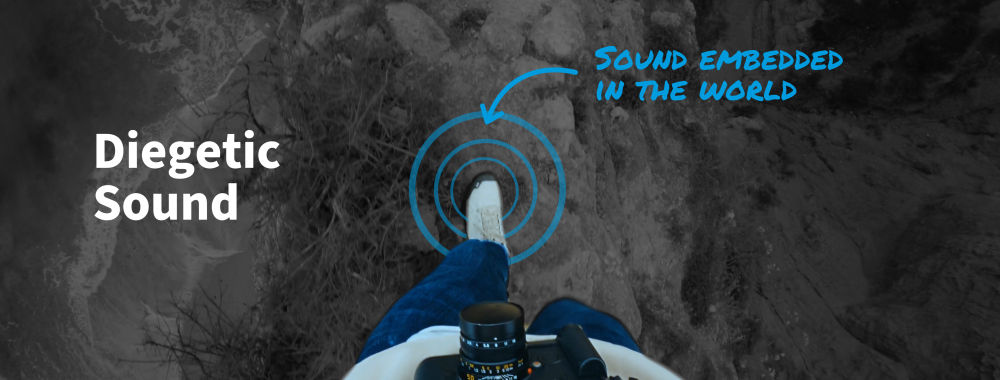
Diegetic Sound

Diegetic sound refers to audio elements that are part of the narrative world of the film, experience, or game. This means that the sound sources are visible on the “screen” or implied to be present by the action of the narrative. 

Diegetic sounds help to create a more immersive and believable world for the audience or user, as they mimic the audio experience of real life. 

Examples include:

  1. Dialogue: Spoken words by the characters.

  2. On-screen Actions: Sounds made by objects or actions visible on screen, like footsteps, doors closing, or cars passing.

  3. Background Noise: Sounds originating from the setting or environment, such as birds chirping in a forest scene, or the hum of a spaceship in a sci-fi movie.
© Interaction Design Foundation, CC BY-SA 4.0

Non-Diegetic Sound

Non-diegetic sound are audio elements that are not part of the narrative world and are added for the user or audience's benefit. They’re often used to enhance the emotional or narrative impact and can be powerful tools in storytelling.

Examples include:

  1. Musical Score: Background music that sets the mood or tone but is not being played within the story world (like a character turning on a radio).

  2. Narration: Voiceovers that provide additional context or commentary but are not part of the dialogue within the story.

  3. Sound Effects: Artificially added sounds to enhance the storytelling, such as dramatic stings in a thriller to heighten suspense.

How Spatial Audio Affects User Experience

Spatial audio has a significant impact on user experience, particularly in immersive environments like VR. Here's how it enhances the user experience:

  1. Increased Immersion: Spatial audio replicates how we hear sounds in the real world. This realism helps to create a more immersive environment which makes digital experiences feel more lifelike. In VR, for instance, the user feels more present in the virtual world when the audio cues align with what they see.

  1. Enhanced Spatial Awareness: With spatial audio, users can perceive the location of sound sources within a virtual environment. This directional audio cue is crucial in applications like VR gaming or training simulations as users need to understand the virtual environment.

  2. Improved Navigation and Interaction: In interactive environments, spatial audio can guide users toward specific locations or alert them to actions happening off-screen or out of sight which adds to their sense of agency. This can be particularly useful in complex or dynamic VR and augmented reality (AR) settings.

  3. Emotional and Narrative Depth: Just like in cinema, spatial audio in VR and AR can be used to evoke emotions and enhance storytelling. The direction and nature of sounds can build tension, convey mood, or signal changes in the narrative.

    Half-Life: Alyx uses spatial audio to elevate the overall game experience and deepen the impact of the narrative. Watch some of the gameplay in this next video: 

  4. Increased Accessibility: For users with visual impairments, spatial audio can provide important contextual information about their environment, helping them to navigate and interact more effectively.

  5. Better Communication in Social VR: In social VR applications, spatial audio allows for more natural conversations. Users can perceive who is speaking to them and from where, similar to a real-world group setting.

  6. Enhanced Gameplay: In gaming, spatial audio contributes to both the strategy and enjoyment of the game. Players can locate other characters or actions by sound, providing a tactical advantage and a more engaging experience.

  7. Reduced Cognitive Load: Accurate audio cues in a virtual environment can make it easier for users to process information, as they can use sound to understand and interact with the environment without relying solely on visual cues.

How to Implement Spatial Audio

Spatial audio or sound design for VR requires technical understanding and creative application. Here's how designers can effectively integrate spatial audio into their VR projects:

Understand the Technology: Designers should familiarize themselves with spatial audio technology. Tools and platforms like Oculus Spatializer, Steam Audio, or Google Resonance Audio offer specialized features to create spatial audio in VR.

Use the Right Equipment for Recording: Designers should consider using binaural microphones to record spatial audio. This setup captures the nuances of how sound interacts with the environment and the human body.

Incorporate Environmental Acoustics: The audio experience should reflect the virtual environment's characteristics. For instance, sounds should echo in a cavern or be muffled if coming from another room.

Integrate Audio with Visuals: The spatial audio cues should align with the visual elements. For example, if a character is speaking to the user from the right side, the sound should come from that direction.

Dynamic Audio Adjustment: Dynamic adjustments to the audio should be implemented based on the user's interactions and movements within the VR environment. As the user moves or turns their head, the audio sources should respond accordingly in real-time.

Effective Spatial Audio Examples

Spatial audio is already being used in powerful and significant ways, here are some real-world examples of spatial audio in practice: 

  1. VR Games: Games like Half-Life: Alyx and Boneworks use spatial audio effectively to enhance immersion. In these games, players can discern the direction of threats and actions based on sound, which adds depth to gameplay.

  2. Educational VR Experiences: Titans of Space, an educational tour of the solar system, uses spatial audio to make the experience more engaging. Users can hear narrations and sounds coming from specific points in the virtual space—this adds a layer of realism to the learning experience.

  3. VR Concerts and Social Platforms: Platforms like Wave have hosted virtual concerts where spatial audio plays a key role. Artists perform in a virtual space, and the audio reflects the virtual environment, changing as users move around.

  4. Cinematic VR: Wolves in the Walls, a VR narrative experience based on Neil Gaiman's work, uses spatial audio to enhance storytelling. The audio design helps to create a sense of presence and emotional connection with the virtual characters.


Questions About Spatial Audio?
We've Got Answers!

How do you design spatial audio for different media, like games or VR?

Designers create spatial audio for games and VR by simulating realistic soundscapes that match visual elements. In games, spatial audio provides directional cues and enhances gameplay. In VR, it is pivotal for immersion, making the user feel integrated into the virtual world.


Learn more about spatial audio and VR in our UX Design for Virtual Reality course.

What are the challenges in implementing spatial audio in multimedia applications?

Designers face challenges in spatial audio implementation, such as ensuring audio accuracy for direction and distance, compatibility with various platforms, and balancing immersive sound environments without overshadowing visual elements. 


Learn more about immersion in What is Immersion?

Professionals recommend tools like Adobe Audition, Dolby Atmos, and Unity's Audio Mixer for spatial audio creation. These tools offer features like 3D audio effects and support for ambisonic audio, crucial for effective spatial sound design.


Learn more about these programs by visiting their websites.


Can spatial audio provide navigational cues in virtual environments?

Spatial audio can indeed provide navigational cues in virtual environments. It assists users in orientation, especially where visual cues are limited.

In the VR game Blind, players navigate primarily through echolocation. Sounds in the environment, like the echo of a cane tapping, guide players through the space. This innovative use of spatial audio allows players to form a mental map of their surroundings based purely on audio cues—this showcases the potential of spatial audio for navigation in VR environments.

Learn more about spatial audio and VR in our UX Design for Virtual Reality course.

How is spatial audio perceived differently by users in various settings?

Users perceive spatial audio differently based on the environment. In noisy or crowded settings, the effectiveness of spatial cues may diminish, whereas, in controlled environments like VR headsets, spatial audio can significantly guide user perception and interaction.

Learn more about spatial audio and VR in our UX Design for Virtual Reality course.

What are the best practices to balance spatial audio with visual elements in multimedia?

Best practices include ensuring audio-visual congruence, avoiding audio overload, and using sound to complement, not compete with, visual information. This balance is key to an effective multimedia experience.

Learn more about spatial audio and VR in our UX Design for Virtual Reality course.

How do you test and evaluate spatial audio effectiveness?

User testing is required to evaluate spatial audio. This should involve specific tasks that rely on audio cues for navigation or interaction, subjective feedback surveys assessing user experience and immersion, objective measures like task completion time or error rate in navigation, and A/B testing comparing experiences with and without spatial audio. These approaches help gauge how well the spatial audio enhances user interaction, immersion, and overall experience in the virtual environment.

Learn more about spatial audio and VR in our UX Design for Virtual Reality course.

How does spatial audio design differ for various types of content, like music, films, or games?

Spatial audio design varies with content type. In music, it enhances the listening experience with depth and space. In films, it supports narrative through alignment with visual storytelling. In games, spatial audio is essential for environmental cues and realism.

Learn more about spatial audio and VR in our UX Design for Virtual Reality course.

Future trends could include:

- Increased Integration in VR and AR: As virtual and augmented reality technologies become more prevalent, spatial audio is a crucial factor in enhancing their immersive experiences. Future VR/AR applications are expected to use more advanced spatial audio to improve realism and presence.

-Personalized Spatial Audio: Advances in technology may allow for personalized Head-Related Transfer Functions (HRTFs), tailoring spatial audio experiences to individual listeners' ear and head shapes. This personalization could significantly improve the accuracy and realism of 3D sound for each user.

- Improved Realism through AI: Artificial Intelligence (AI) could be used to dynamically adjust spatial audio in real-time based on the user's environment and interactions within a virtual space. AI might also assist in automatically creating spatial audio from standard audio tracks.


Learn more about spatial audio and VR in our UX Design for Virtual Reality course.

Earn a Gift Earn a Gift, Answer a Short Quiz!

1
2
3
4
1
2
3
4
Question 1
Question 2
Question 3
Get Your Gift
Interaction Design Foundation logo

Question 1

What is spatial audio?

1 point towards your gift

  • Mono audio tracks
  • Sound that creates the illusion of a 3D space
  • Standard stereo sound
Interaction Design Foundation logo

Question 2

What is the Head-Related Transfer Function (HRTF) used for in spatial audio?

1 point towards your gift

  • Improve video quality
  • Mimic how our ears perceive sound from different directions
  • Record audio and video in 3D
Interaction Design Foundation logo

Question 3

How does spatial audio improve user experience in virtual reality games?

1 point towards your gift

  • It limits the need for background or game music.
  • It provides mono soundtracks during gameplay.
  • It replicates real-world sound directions for total immersion.

Learn More About Spatial Audio

Make learning as easy as watching Netflix: Learn more about Spatial Audio by taking the online IxDF Course UX Design for Virtual Reality.

Why? Because design skills make you valuable. In any job. Any industry.

In This Course, You'll

  • Get excited when you learn how to create Virtual Reality (VR) experiences people love. The global VR market will grow to $227 billion by 2029! Whether you want to create VR games or interactive business solutions, this course will help you bring your big ideas to life. VR opens up a new dimension for your creativity, literally! Virtual reality lets people step into digital worlds for a deeper emotional connection. It leads to higher retention, engagement, and loyalty in gaming, education, and corporate training.

  • Make yourself invaluable with specialized knowledge and in-demand skills that open doors to exciting career paths! You'll master timeless human-centered design skills that ensure VR experiences are meaningful, ethical, and genuinely resonant: Skills that keep you in demand as technology evolves. Does UX design for virtual reality sound complicated? It can be, but we've made it easy for you! With step-by-step guidance, you'll master it faster than you think, no matter your background. The UX Design for VR course shows you how to create VR products that make a real impact in any industry. You'll explore social VR and the Metaverse and master the secret to achieving comfort, safety, and inclusivity in VR. You'll be able to design for presence and immersion with VR elements like storytelling, sound design, spatial audio, and emotion design.

  • Gain confidence and credibility as you conceptualize, create, and refine VR prototypes for your portfolio. You can choose to create a complete VR portfolio project, from storyboarding to 3D prototyping, and walk away with a polished portfolio that puts you in demand. Download ready-to-use templates, like the 3D wireframe checklist and USE scorecard for VR, to fast-track your success in one of the most sought-after areas of UX design.

It's Easy to Fast-Track Your Career with the World's Best Experts

Master complex skills effortlessly with proven best practices and toolkits directly from the world's top design experts. Meet your experts for this course:

  • Frank Spillers: Service Designer and Founder and CEO of Experience Dynamics.

  • Mel Slater: Distinguished Investigator at the University of Barcelona in the Department of Clinical Psychology, active member of the Institute of Neurosciences, and Co-Director of Event Lab (Experimental Virtual Environments for Neuroscience and Technology).

Get an Industry-Recognized IxDF Course Certificate

Increase your credibility, salary potential and job opportunities by showing credible evidence of your skills.

IxDF Course Certificates set the industry gold standard. Add them to your LinkedIn profile, resumé, and job applications.

Course Certificate Example

Be in distinguished company, alongside industry leaders who train their teams with the IxDF and trust IxDF Course Certificates.

Our clients: IBM, HP, Adobe, GE, Accenture, Allianz, Phillips, Deezer, Capgemin, Mcafee, SAP, Telenor, Cigna, British Parliament, State of New York

All Free IxDF Articles on Spatial Audio

Read full article
How to Implement VR Experiences - Article hero image
Interaction Design Foundation logo

How to Implement VR Experiences

It can be a challenge—and not to mention call for careful planning on how to carry things out—to implement Virtual Reality (VR) experiences, but the rewards of a successful VR experience are massive. Not only will users get to enjoy an experience they’ll never forget but they’ll want to keep on comi

Social shares
470
Published
Read Article
Read full article
Learn the Role of Perception and Memory in HCI and UX - Article hero image
Interaction Design Foundation logo

Learn the Role of Perception and Memory in HCI and UX

Have you ever wondered how your brain makes sense of the world? It's a fascinating process! If you want to design helpful products and services that people love, you must first understand how they think. A large part of human interaction relies on perception, our ability to see, hear and feel our su

Social shares
650
Published
Read Article
Read full article
Revolutionize UX Design with VR Experiences - Article hero image
Interaction Design Foundation logo

Revolutionize UX Design with VR Experiences

Is the future of user experience design (UX design) going to exist on screens or will it find immersive, three-dimensional spaces as its main home? You can design for both views—and interactions—within a digital environment that’s boundless in virtual reality (VR), so read on to find five fundamenta

Social shares
621
Published
Read Article

How to Implement VR Experiences

How to Implement VR Experiences

It can be a challenge—and not to mention call for careful planning on how to carry things out—to implement Virtual Reality (VR) experiences, but the rewards of a successful VR experience are massive. Not only will users get to enjoy an experience they’ll never forget but they’ll want to keep on coming back to try it over and over again—and we’ve got some important VR considerations coming up.

For user experience (UX) designers, the challenge that VR sets down is something like the one that came up back in the 1960s before the invention of the mouse (thanks to computer pioneer Douglas Engelbart): how can users interact with a computer more efficiently? Innovation being what it is—along with the indomitable desire designers and other professionals have to keep advancing—we designers are constantly exploring new ways to do just that, it’s such a perennially popular issue. Everything from gestures to hand tracking to haptic feedback—it’s all in the name of finding what works best, and what helps users the most (and helps the brands that come up with such innovations too), and it’s exciting as well. So, if you as a designer are going to create immersive and intuitive experiences, you’ll need in-depth knowledge of platform technology and, from there, you’ll be better placed to craft experiences that guide users through the device's features.

VR Implementation Essentials: Key Considerations for Success

Once you’re ready to move ahead and start implementing your design, you’ll need to—first—consider several key factors, and they’re things that include the hardware and software you’ll need for it, the virtual environment design, and the user interface (UI).

  1. Choose a VR platform or engine that suits you: Think about your specific needs and the available resources and support—popular VR platforms include Oculus, HTC Vive, PlayStation VR, and Windows Mixed Reality—and you can explore common VR engines, too, like Unity3D and Unreal Engine, which offer built-in VR support and extensive community resources.

  2. Design the virtual environment: The goal of the virtual environment you set out for your users should always be intuitive and engaging—part of the magic of VR and bringing it home for each and every user who steps into that world and wants to stay and feel they’re there, so they can come back for more, too. Detail is vital—if not pretty much everything here—and that includes the design of detailed objects and environments—like realistic lighting and sound effects to create that all-important sense of presence—so users enjoy every moment they’re in there.

    CEO of Experience Dynamics, Frank Spillers explains presence in VR in this video:

    Transcript

  3. Design the user interface (UI): You’ve got to think hard about how to make your UI work well for users, and a significant advancement in UI/UX design was the introduction of flat design—which is the antithesis of 3D visualization—so you’re going to have to account for the added intricacy and expanded range of interaction methods with a 3D model. At any rate, it’s crucial to incorporate menus, settings, and head-up displays (HUDs) that users find both easy to use and understand, and remember that they’ll be immersed in the VR world you provide for them—so they'll be relying on these things.

  4. Get the interaction design factor just right: You’ll need to enable users to interact with the virtual environment with motion controllers, and implement mechanics like grabbing objects, interacting with buttons, and performing gestures so everything flows smoothly and they’re never left wondering how to achieve something. Remember that hesitation can break the spell of immersion, and—what’s more—you’ll need to settle on what the method of user movement within the VR world you make will be, and it could be teleportation, smooth locomotion, or a combination of the two. Once you’ve decided on that, you’re going to have to introduce these interactions through a smooth onboarding experience—vital if you’re to minimize the effects of the friction funnel of VR on your users. This is because—unlike other digital mediums—the initial landing spaces get launched from a dark, empty space in VR; so, imagine, and remember, how “cold” and disorienting that dark and empty space might feel and work to “warm” you users up to as welcoming a VR world as you can deliver to them.

"The most effective interaction design follows patterns the human brain already understands and knows."

— Cornell Hillman, Author, CG artist and XR designer.

This onboarding stage is so fundamental a thing to get right—or optimize—that there are a few leaves you can take from the “book” of immersive media design to manage things well for your users:

  1. Introduce new elements slowly so people will feel safe with it and be more likely to stay on for more—like, for instance, in a puzzle game, start with simple puzzles and, bit by bit, increase the complexity level as the player progresses and feels more in the swing of things.

  2. Borrow from the real world and create a sense of familiarity so users can relate to the environment they’re in a great deal better and get in step with what’s going on faster—like, for example, in a VR shopping experience, you could use a layout that’s like a real-world store.

  3. Give users a glimpse of the virtual world’s style, scale, design concept, mood, and vision, so they’ll know what they can expect from the experience—for instance, if you’re making a VR tour of an art museum, it would be superb to show users a preview of the artwork—spoiler alert—that they’ll see in the upcoming exhibition.

  4. Start with an enjoyable—or exciting—element to make a positive attitude and set the tone for the rest of the experience, and that “feel-good” factor isn’t just a good taster for the user to start with but can be a powerful draw to help catapult them into the experience willingly. For example, let’s say you’re working on a design for a VR rollercoaster experience—which can be pretty exhilirating—and you might start with a thrilling drop or twist to create excitement and get users engaged from the beginning (while remembering how “real” it might feel for some of them—a signature of a successful design, after all).

Perhaps the most fundamental point to bear in mind as you work on VR experiences is how unique the world of VR design and VR development is—and it calls for a deep understanding of and appreciation for 3D game development, UX design, and VR-specific considerations. VR is immersive, so, likewise, you’ll need to steep yourself in the world of VR developments so you get to stay up to date on the latest advancements in VR technology and user preferences both—and that, dear VR designer, will be a major help for you to create compelling and enjoyable VR experiences.

The Take Away

It takes a deep understanding of platform technology if you’re going to create VR experiences that are immersive and intuitive—and ones that users will love so much that they’ll clamor for more. That’s why it’s so important to keep a pulse on developments in this exciting area of UX design—an industry in itself. And that’s also why you’re going to have to pick the right VR platform or engine, and consider specific needs, resources, and available support—everything that’s needed to support the world you want for your users. Popular VR platforms—such as Oculus, HTC Vive, PlayStation VR, and Windows Mixed Reality—along with such engines as Unity3D and Unreal Engine, offer built-in VR support and extensive community resources, so they’re well worth going for.

Then, there’s another massive ingredient to bring to bear on where you take your efforts, and that’s effective virtual environment design—including detailed object and environment design, replete with all the realistic lighting and sounds to help deepen immersion and engagement for users. On top of that, when you work in VR-specific user interface design, you’ll need to accommodate the added intricacy and expanded range of interaction methods users can use within the 3D space they find themselves in. And the interaction design factors—through devices like motion controllers and mechanics like object interaction, button operation, and gestures—are another layer to think hard about and do well in your VR design.

Last—but not least—you’ll need to help users well during the onboarding phase, to minimize the “friction funnel” for them and this means to gradually introduce them to elements, and it goes a long way to helping users hit the ground running when you give them elements that create familiarity, such as real-world things like stores or football fields or whatever’s appropriate for the experience. Get things right—or, even better, great—for your users and you can give them experiences that are not one notch shy of unforgettable, and that is a sign of a winning product and a major boon for the brand that releases it to the target audience that loves it.

References and Where to Learn More

Take advantage of this insightful Master Class with VR expert Mel Slater, How To Influence Behavior Through Virtual Reality Narratives.

Check out this article from Road to VR, An Untapped Opportunity to Reduce VR Friction: Pre-headset Selection & Loading.

Read the book, UX for XR: User Experience Design and Strategies for Immersive Technologies by Cornell Hillman.

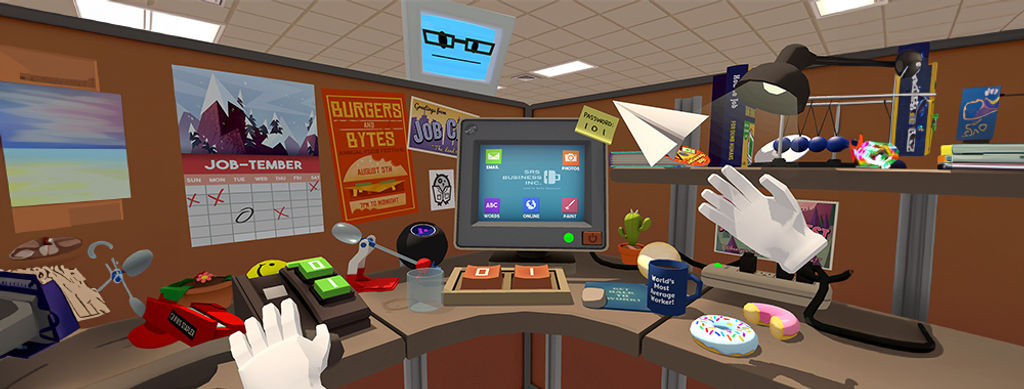
Hero image: © Job Simulator, Fair Use.

Feel Stuck?
Want Better Job Options?

AI is replacing jobs everywhere, yet design jobs are booming with a projected 45% job growth. With design skills, you can create products and services people love. More love means more impact and greater salary potential.

At IxDF, we help you from your first course to your next job, all in one place.

See How Design Skills Turn Into Job Options
Privacy Settings
By using this site, you accept our Cookie Policy and Terms of Use.
Customize
Accept all

Be the One Who Inspires

People remember who shares great ideas.

Share on:

Academic Credibility — On Autopilot

Don't waste time googling citation formats. Just copy, paste and look legit in seconds.